Hiding / Un-hiding a Group
The Dashboard does not display hidden Groups, or related computer records. Computers in a hidden Group will not show the Contact Menu. View hidden Groups by searching visibility for Hidden.
Hiding a Group
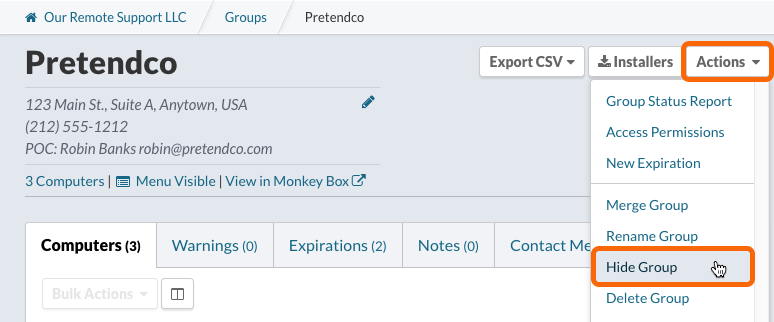
From a Group’s page, select Hide Group from the Actions menu
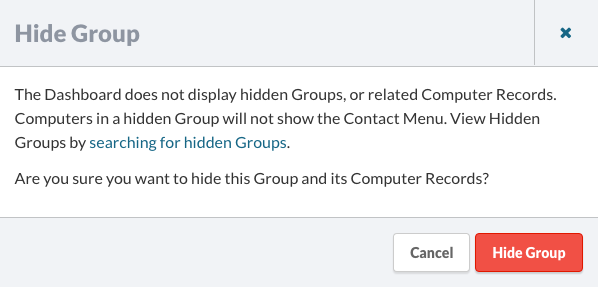
A confirmation dialog will be displayed. Click Hide Group.
Hidden Group Notifications

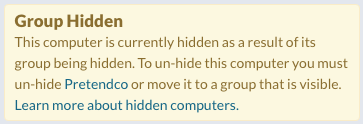
When a group is hidden, a banner will be shown for the group, and a notification will be displayed when viewing the computer record.
Un-hiding a Group
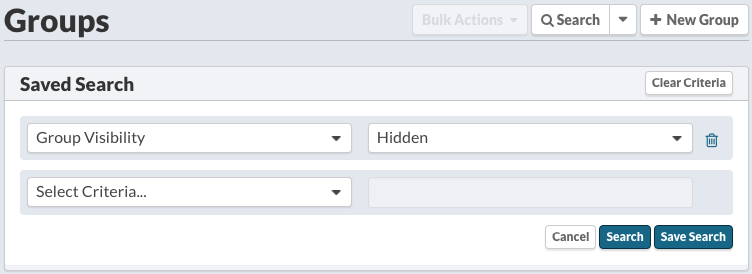
View hidden Groups by searching visibility for Hidden.
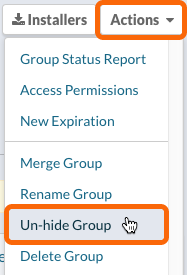
From a Group’s page, select Unhide Group from the Actions menu