Watchman Monitoring's Contact Menu
The Contact Menu is available to all subscribers. The menu’s contents are customizable via the Watchman Monitoring server’s dashboard, changes are applied to each computer as a part of their auto-update process.
Contact Menu
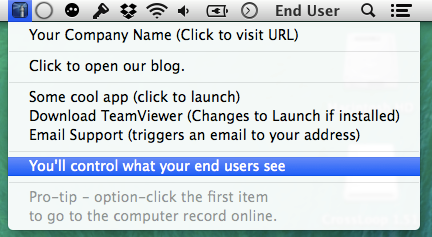
Setting up the Contact Menu
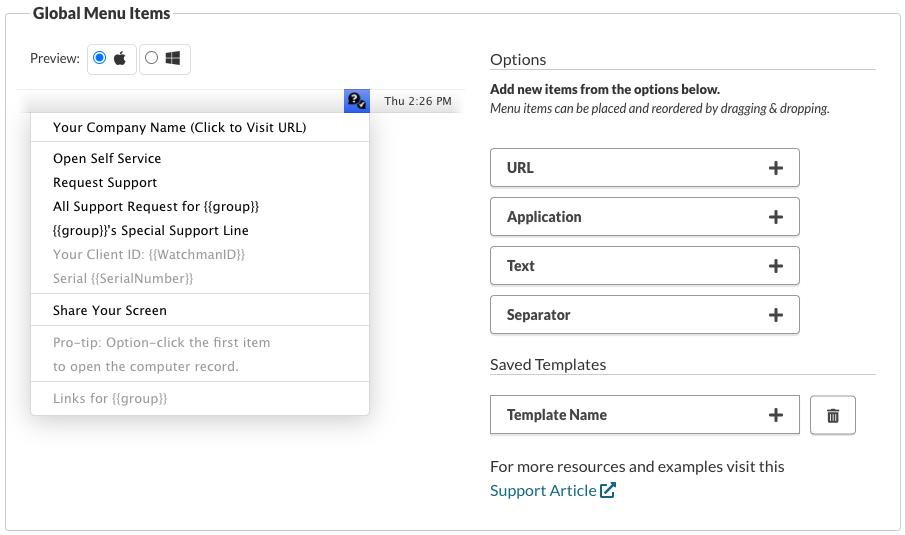
Administrators of each Watchman Monitoring account add any number of the following menu items:
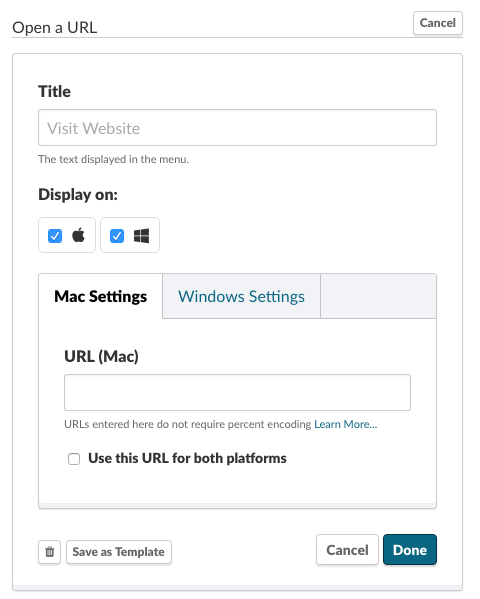
URL Launcher (http, mailto, etc)
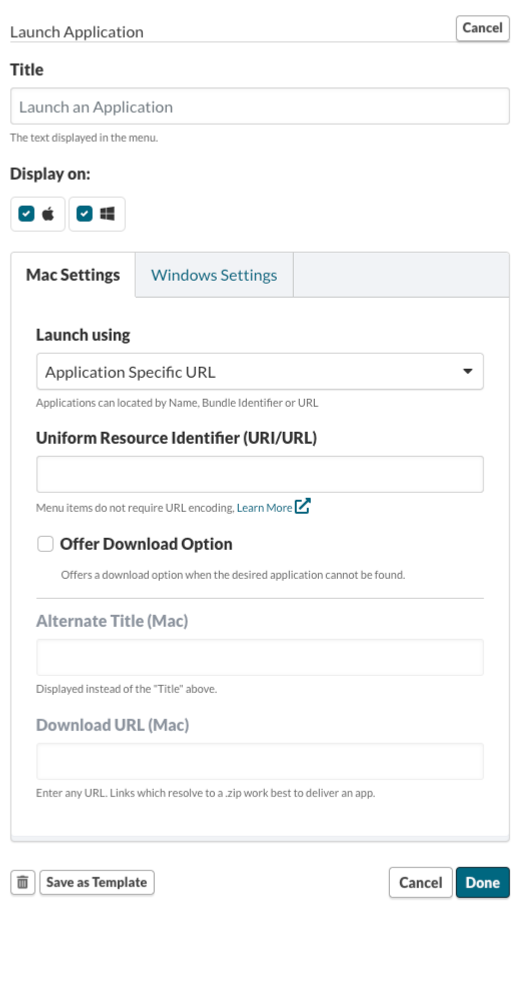
Application Launcher (via Bundle ID, or application-specific URL)
Bundle IDs
Every Mac OS Application has a Bundle Identifier in its Info.plist. You can also determine a bundle ID with this command in Terminal (sudo not required)
The command: osascript -e 'id of app "Chess.app"'
Returns its Bundle ID: com.apple.Chess
App URI/URLs
Applications can declare their own, arbitrary, URIs, and decide how they can be used.
When testing how you enter the URI into the dashboard, pay attention to the number of slashes/are used. Many URI work without slashes, while some require two or three. Testing their behavior in the Contact Menu setup is recommended.
Examples:
skype:
facetime://
The application launcher can offer an alternate download in the case an Application isn’t installed
Warning
Launching by Application Name is no longer supported. Read more in our Community Forum
Note
Learn more about launching Applications in our Community Forum
Display information (plain text)
These menu items can be used to display information. They will show up as gray/disabled items in the menu.
Separators
Used to separate and organize your Menu Items into logical groups.
Note
Additional items may be added on a per-group basis, allowing the menu to be a part of your end-users’ productive workday.
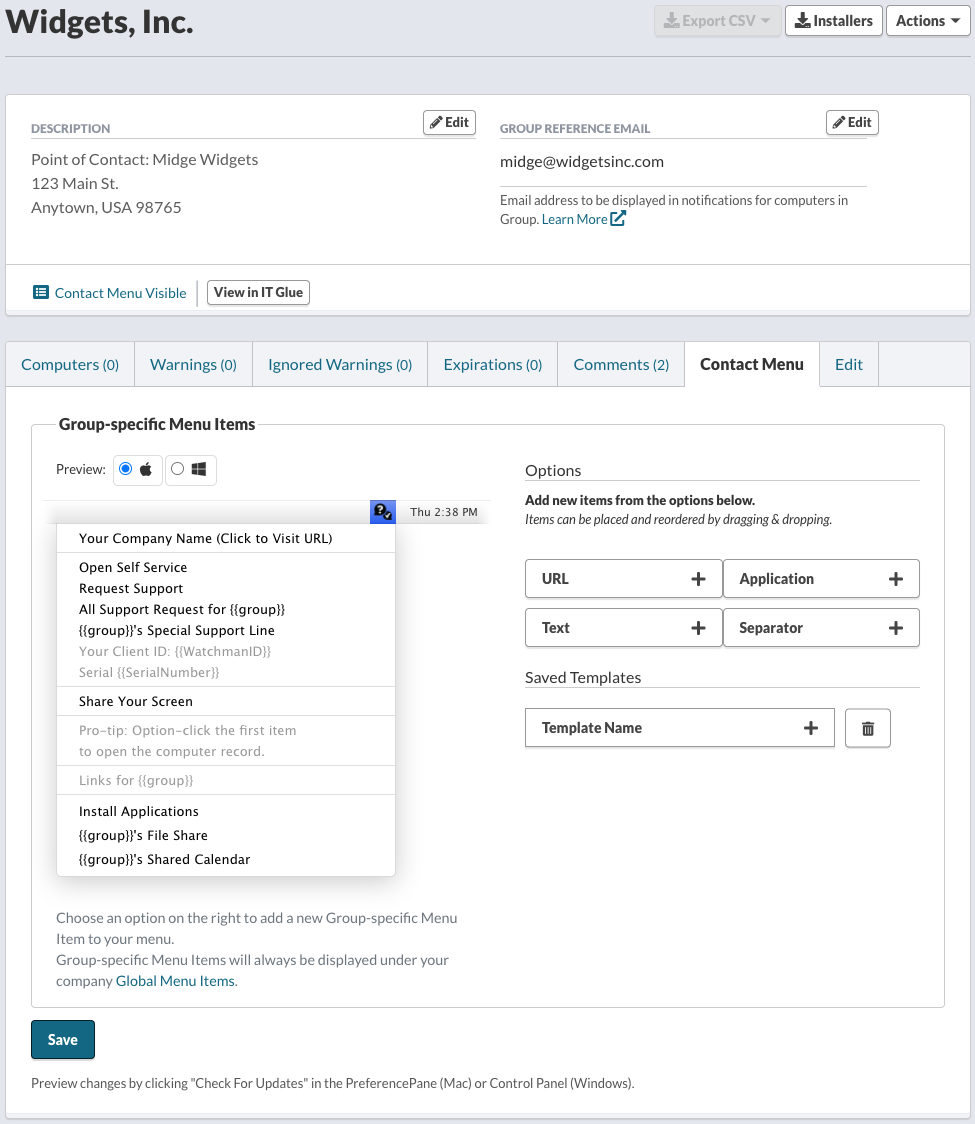
Group specific Contact Menu items
Watchman Monitoring allows you to customize the Contact Menu per Group. Each Group will automatically inherit your company’s Contact Menu items, and can be added to from the Group’s page in your Dashboard.
Contact Menu templates
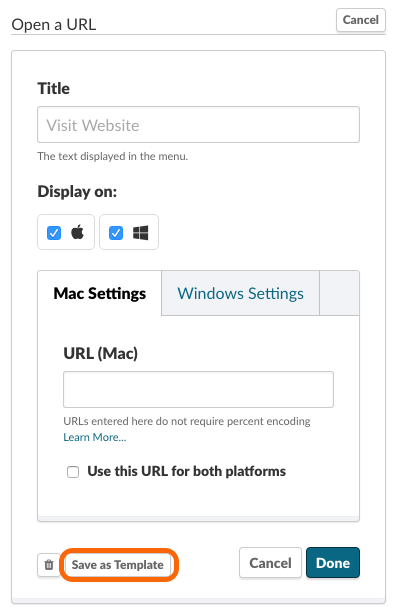
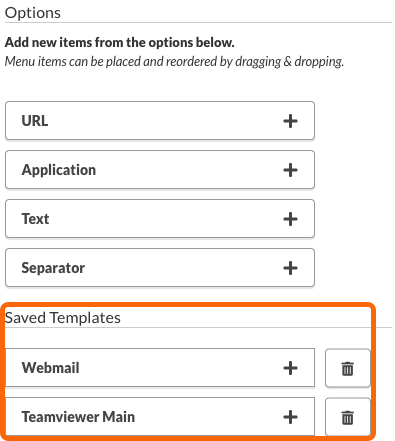
If you want to use the same item for many companies, you can save any Contact Menu option as a template to be easily recalled for another Group.
Note
Learn more about Contact Menu Item Templates.
FAQ
**Does the Contact Menu have any additional cost?
No, the Contact Menu is a part of your Watchman Monitoring subscription.**
There is a one-time fee to enable Custom Branding, which would change the logo of this menu, the PreferencePane icon, and rename the agent. This branding option also allows for the customization of additional Contact Items.
Do I have to display a Contact Menu to end-users?
No, the menu is optional, and disabled by default.
How many layers of customization are there?
The menu’s first item displays a subscriber’s company name, and links back to the company’s support URL.
A Global set of items is displayed to all end-users.
Additional menu items can be tailored for each Group.
Do I have to show the menu to every end-user?
No. The menu can be hidden for an entire group, or on a per-computer basis.
Related Articles
- Hiding or showing the Contact Menu
- Tips and Tricks
- Usage and Examples
- Extending the Contact Menu with liquid variables
Permalink: https://watchmanmonitoring.com/contact-menu