Comments Overview
Comments can be added to Computers or Groups, made private or included on the Group Status Report. This article explores the features and details of using Comments for Computers and Groups.
Comments
Comments allow for documentation of processes and actions on groups and computers. Comments can be generated from individual plugin results to help document the warning discovered and resolution. Comments can be used as a light ticketing system and/or customer relationship manager (CRM), as you build your proactive toolset.
Tip
Markdown formatting is supported for Comments entries.
Tip
Information which should be included in every email regarding a given computer can be stored in the Group or Computer Description.
Important
Comments are not encrypted. Please use caution when noting sensitive data.
Public Comments
Public Comments are included in Group Status Reports within the date range selected. Selecting the Always Display on Reports option will display the comment on all reports regardless of date range.
Private Comments
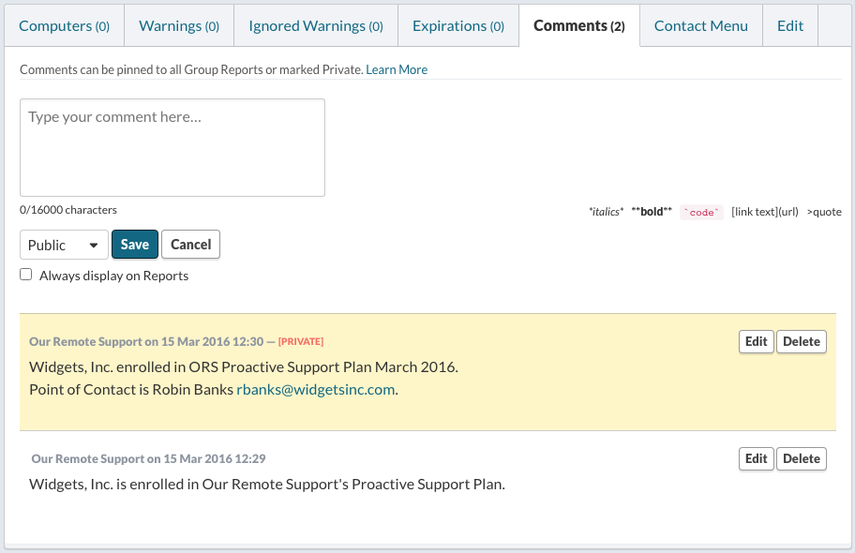
Private comments have a transparent yellow background and are marked in red as [PRIVATE]. Private Comments are visible in the Dashboard, and are excluded from the Group Status Report.
Group Comments
Group Comments might include support plan details, site details, points of contact, and any information relevant to all computers within the group. Group Comments will be displayed below Computer Comments for all Computers within that Group. Public Group Comments are shown in Group Report PDFs as well as any Computer Overview PDFs created within that Group.
Computer Comments
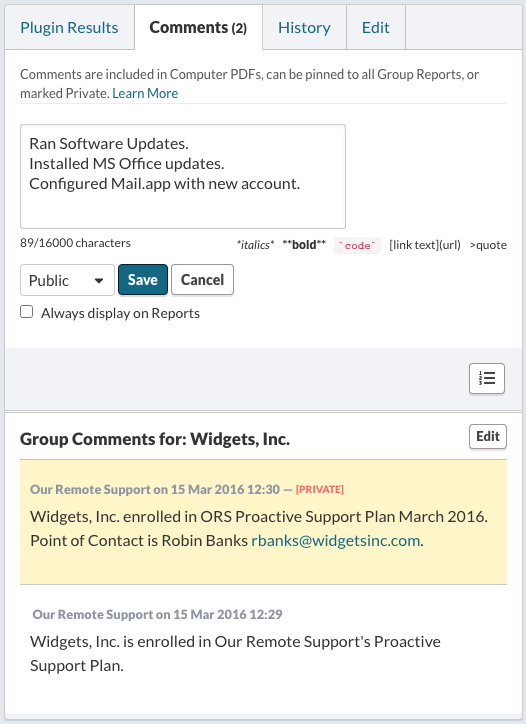
Computer Comments can be entered or edited from the Computer’s Overview page. Public Computer Comments are displayed in Computer Overview and parent Group Report PDFs. Group Comments are displayed below Computer Comments, when viewing the Comments tab on the Computer Overview.
Tip
Generating a Comment from a plugin result will automatically quote the plugin result.