Hiding / Un-Hiding Computer Records
Occasionally, it may no longer be necessary to monitor the health of a computer. Hiding the record allows the agent to remain on the computer but prevents warning emails from being sent. When un-hidden, reports would resume normally without reinstalling the Monitoring Client.
Hidden records are not displayed in the interface, all related warning/missing emails are skipped, and the contact menu is hidden. Reports submitted by hidden computers will be stored, and can be accessed by searching for hidden Computer Records.
Hide a computer record
Locate the computer record you would like to hide.
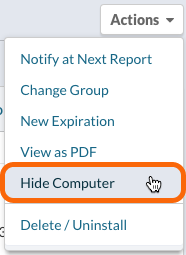
From the Actions menu, select Hide Computer.
Access Hidden Computer Records
Search for Hidden Computers
Navigate to all Computer records.

Click the Search button.

Build your search criteria of Visibility (1) is Hidden (2). Add any additional criteria, and click Search (3).
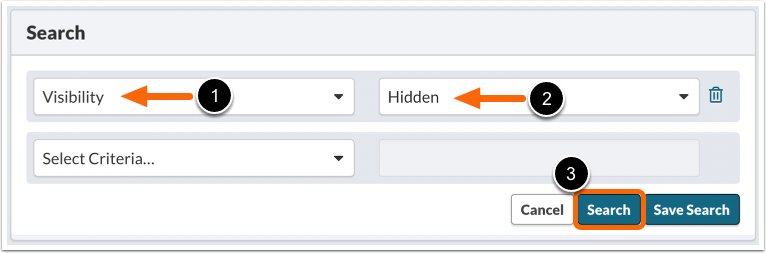
This search will display all hidden records.
Groups with Hidden Computers
When viewing a group, hidden computers are indicated between Visible and Archived under the Group tabs. Clicking on Hidden (X) will show you to a hidden computer list for that group.

Un-hiding a Computer Record
The Computer Overview page of a hidden Computer will display a message to un-hide Computer.

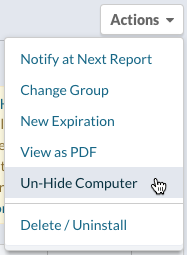
Alternatively, from the Actions menu, select Un-Hide Computer.