Support provided by Watchman Monitoring
Support is available to active, trialling, and prospective subscribers.
Watchman Monitoring provides support for the Monitoring Client, integration assistance, feature requests, and/or reporting or errors via email.
Support Methods
We employ various methods to ensure your questions and concerns are addressed quickly and efficiently.
Support is available via the following channels:
Dashboard
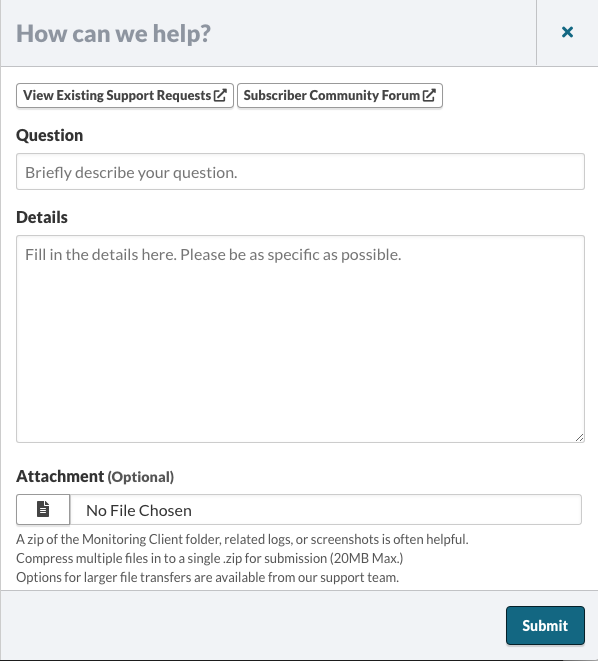
Click Get Support on the left sidebar (the ℹ︎ icon, when minimized).

Fill out a Support Request, providing your Question and as many Details as possible. You may optionally attach a zip archive of the Monitoring Client folder, related logs, or screenshots.
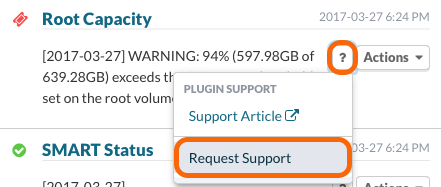
Dashboard Plugin Support
Plugin support is available from the ? menu next to the plugin result.
Send an email to [email protected].
Tip
A separate email for each issue is best.
Zendesk
Support via Zendesk provides feature-rich access to your tickets and your organization’s tickets.
- Create New Tickets regarding Watchman Monitoring.
- View your Watchman Monitoring tickets.
- View your organizations’ Watchman Monitoring tickets.
Tip
A separate ticket for each issue is best.
Scope of Support
- Troubleshooting Monitoring Client operation issues.
- Troubleshooting Monitoring Client reporting to the server.
- Troubleshooting Monitoring Client error messages.
- Provide a plugin operation overview.
- Review feature requests.
- Review Integration Configuration.
- Review error messages.
Warning
How to address a reported problem with your user is outside the scope of our support.
Professional Services
Limited professional services are available for detailed integration assistance such as ticketing system configuration and web site form development.
In App notifications
To reduce reliance on emails, Watchman Monitoring utilizes in-app notifications to announce new features and warn of certain issues. Look for them in your Dashboard upon login:
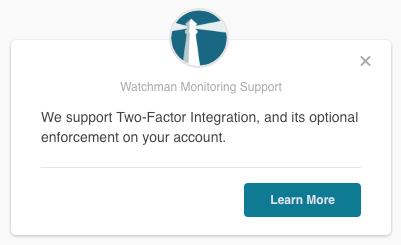
Clicking Learn More will open the related notice in a new window, clicking the X will dismiss the notification permanently. Please also refer to our blog posts for related information.