Version numbers in the Client
Watchman Monitoring’s Monitoring Client provides a version that includes its build number. Monitoring Client versioning follows Assembly Versioning, which consists of a four digit pattern.
Tip
Details of new releases are listed on our Release Notes page and are posted to our Community Forum.
Finding the version and build numbers
Dashboard
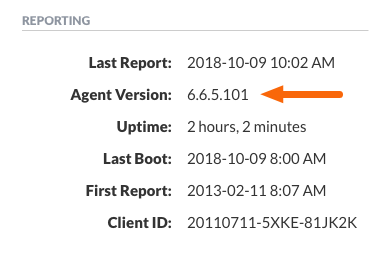
The Agent Version is reported under Reporting in the Computer Overview.
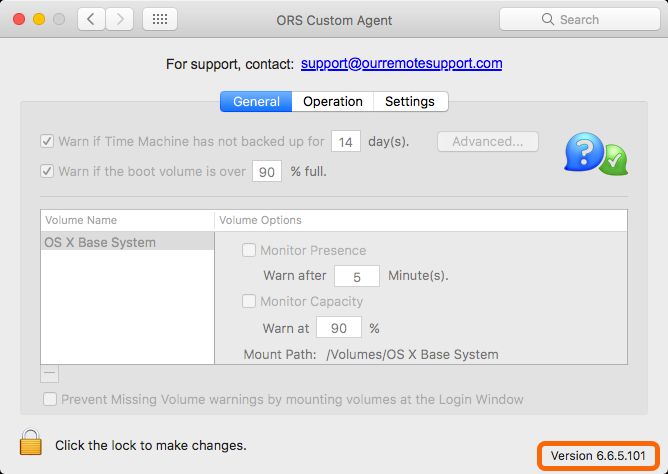
Mac Monitoring Client Preference Pane
The Monitoring Client Preference Pane displays the version number in the lower-right hand corner.
Note
Previously, the Mac agent followed Semantic Versioning, with Major features incrementing the first and second digits. Minor improvements or important bug fixes will trigger a dot-release. Minor bug fixes and changes to a given company’s Custom Branding will trigger changes to the build number alone.
Linux Version and Build Number
Linux agents follow Assembly Versioning. Point releases are reserved for new additions.
To view the linux agent’s version and build number use:
cat /etc/monitoringclient/client_settings.conf
filter just the Build Number and Version
cat /etc/monitoringclient/client_settings.conf | grep -E "Build|Version"
Sample output (trimmed):
{
  "WatchmanID": "20170907-KHJR-ENUX9I",
  "Subdomain": "ors",
  "Build_Number": "3.3.1.108",
  "Client_Version": "3.3.1.108",
  "ClientGroup": "Pretendco"
}
Windows Version Number
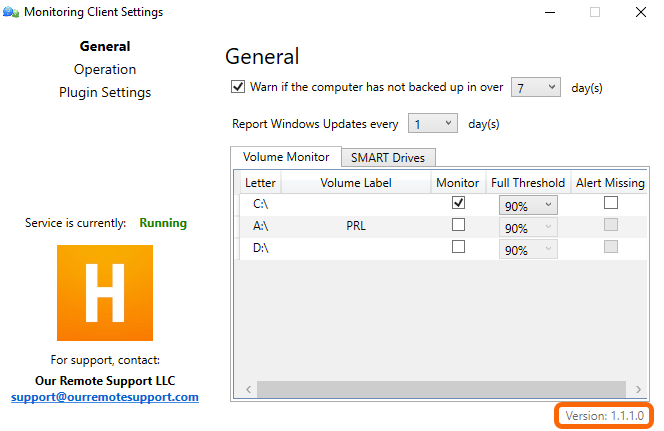
Our Windows agent follows Assembly Versioning, which consists of a four digit pattern. The Windows RC series started with 1.0.0.0. Minor updates will have point increments such as 1.0.0.5.
Warning
Older beta agents followed a series of numbers from .25b to .63b. As of 2017, any agent which has not automatically updated will likely require a manual update or re-installation.
Permalink: https://watchmanmonitoring.com/versions