What is a False Mount?
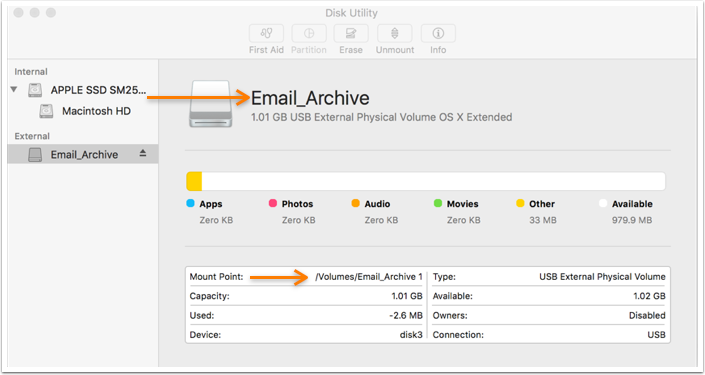
A false mount occurs when an orphaned folder in /Volumes prevents a volume from being mounted with the proper name.
False mounts can occur:
- if a volume is unmounted unexpectedly, and data is written to where the volume used to be.
- if a process such as SoftwareUpdate server writes to the place where its storage is supposed to be, but the volume has not mounted yet.
- if a connection to a network volume is lost, and running applications save data to where the volume used to be.
When the proper volume is mounted, the volume name will be appended with a “1” which prevents the data from being read.
Apple has a support article on the matter: http://support.apple.com/kb/TS2474
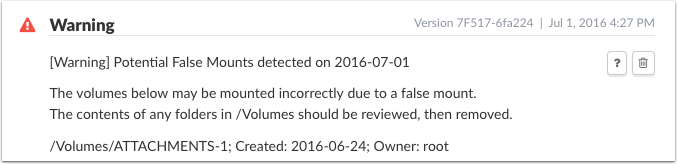
Watchman Monitoring sends a one-time warning upon discovery of a potential false mount as well as details which can help discover how the false mount was created.http://support.apple.com/kb/TS2474
Resolution
- Stop any active applications or services which are attempting to access the false mount.
- Unmount the proper volume.
- Move the remaining folder out of /Volumes
- Re-mount the proper volume by re-seating the drive’s cables or logging in to the network volume.
A folder with a “1” at the end is a sure sign that a False Mount is preventing the proper mounting of a specific volume.