Operating System Plugin
The Operating System plugin reports operating system version, demographic information, reboot type, vendor, and system model.
The Operating System plugin reports the operational status of the operating system along with demographic information.
Windows
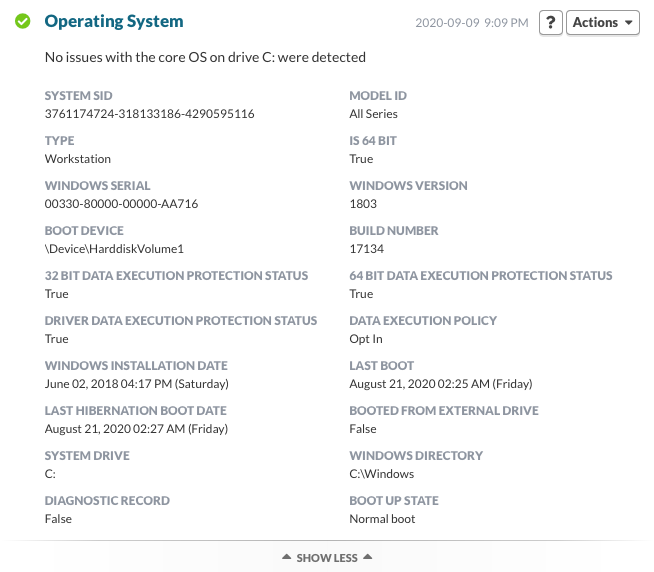
Demographic information is reported by the plugin. Information including:
- System SID
- Model ID
- Type (Workstation/Domain Controller/Server)
- Is 64 Bit (True/False)
- Windows Serial
- Windows Version
- Boot Device
- Build Number
- 32 Bit Data Execution Protection Status (True/False)
- 64 Bit Data Execution Protection Status (True/False)
- Driver Bit Data Execution Protection Status (True/False)
- Data Execution Policy (Opt In/Opt Out/Always On/Always Off)
- Windows Installation Date
- Last Boot
- Last Hibernation Boot Date
- Booted From External Drive (True/False)
- System Drive
- Windows Directory
- Diagnostic Record (True/false)
- Boot Up State
Mac, Linux
Demographic information is reported by the plugin, but no information is presented in the dashboard.
Permalink: https://watchmanmonitoring.com/plugin-support/operating-system