Notes about merging Zendesk tickets
There are cases when an issue reported by Watchman Monitoring needs to be muted by a ticket other than its initial ticket.
- The issue might be mentioned in a separate ticket.
- Two issues may be reported about a single computer, and you wish to close one.
-
You wish to pro-actively prevent a ticket from being created:
- A customer reports their TimeMachine has failed, and you wish to prevent the coming alert.
- A CrashPlan PROe mount point fails, and you wish to mass-mute reports from affected computers.
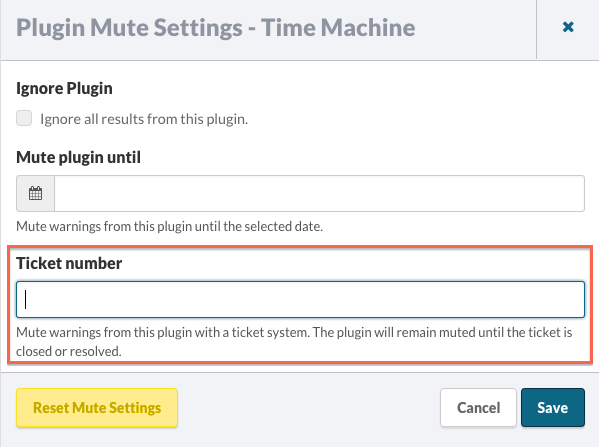
In these cases, a plugin can be muted by the ticket number you feel is most appropriate:
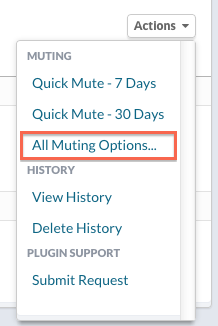
Use the Plugin’s Actions menu to select Muting Options:
Enter the relevant ticket number, and click Save.