Changing Your Account Name
You can update your Account Name from your account Dashboard. Your Account Name is displayed on the Server Dashboard, default Contact Menu, and File Names for PDF Reports.
Account Settings
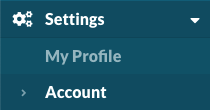
Navigate to Settings > Account. https://app.monitoringclient.com/settings/account
Contact Info
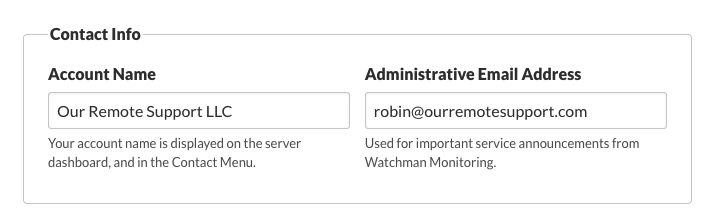
The Account Name is displayed on the Server Dashboard, default Contact Menu title, and File Names for PDF Reports.

Dashboard example.
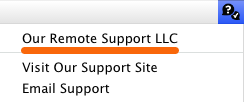
Contact Menu example.
Note
Account Name was previously called Company Name in the Dashboard.
Permalink: https://watchmanmonitoring.com/change-account-name