Dashboard Color Theme
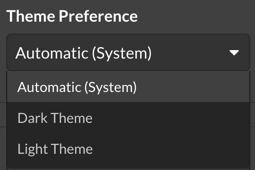
The Dashboard’s Light or Dark theme is set per-user, and is set to Automatic via browser detection by default.
Account Settings
Navigate to Settings > Account. https://app.monitoringclient.com/settings/account
Select the Dashboard Theme from the list, to change the theme, select the preferred theme. The setting is applied on save, and browser detection happens immediately.